
Jobs
Find the jobs that cost more than usual, and see what each one runs and what changed.
The Jobs page lists the jobs that run queries in your warehouse. A job is usually an orchestrator task, such as an Airflow DAG and task. Queries with no job tag are grouped by their query shape.
Find jobs to look at
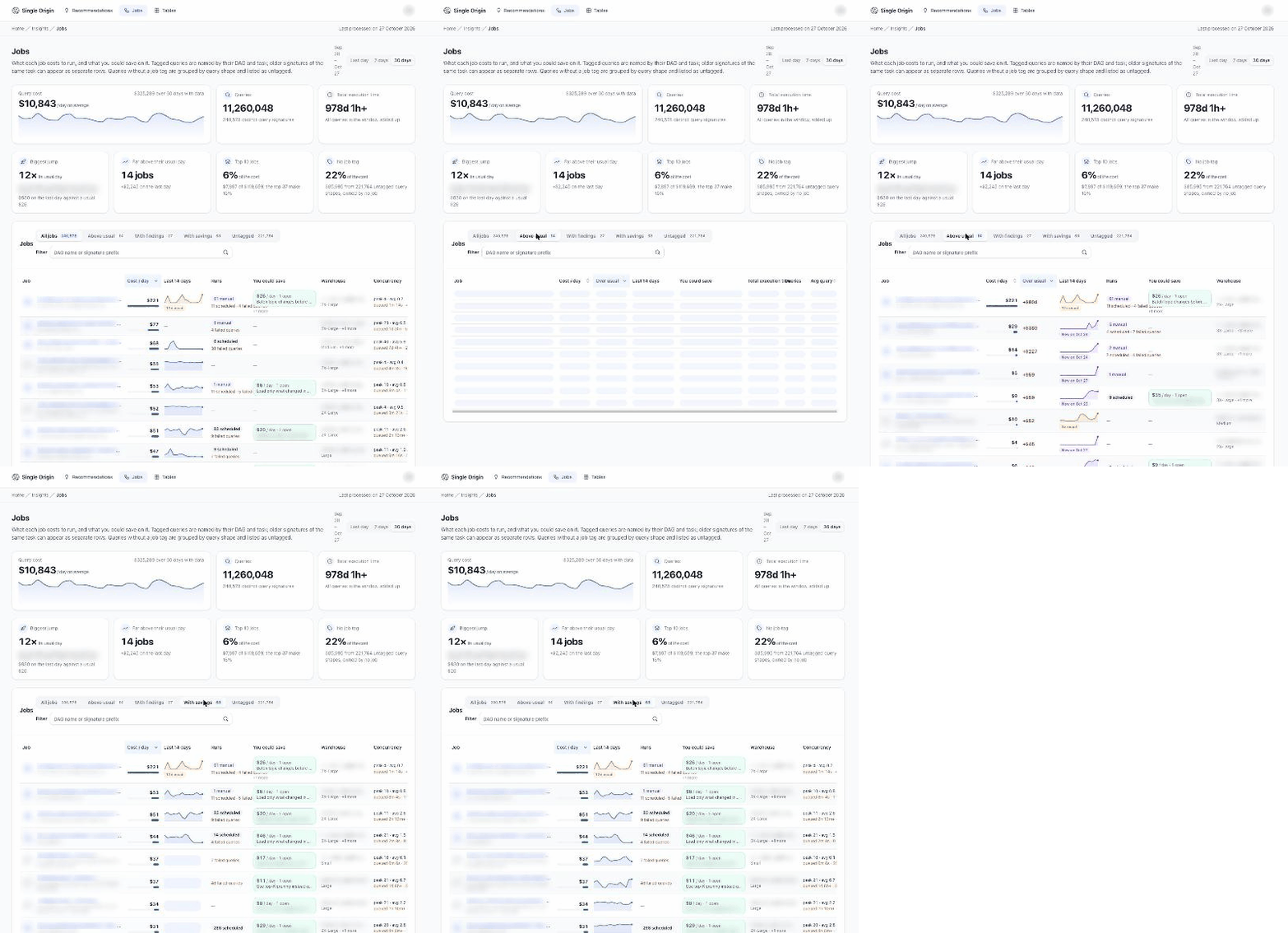
Example workspace. Names are blurred and figures are illustrative.
The tiles at the top point you at the jobs worth a look, for example Biggest jump, Top 10 jobs and No job tag.
The list has tabs. Each is judged on the window's last day:
| Tab | What's in it |
|---|---|
| All jobs | Every job in the window. |
| Above usual | Jobs that cost far more than their usual day, or that are new. |
| With findings | Jobs where the latest check found something worth fixing. |
| Lost to failures | Spark only. Jobs whose failed runs or stage attempts cost money. |
| Held after last task | Spark only. Jobs whose executors stayed up after their last task. |
| With savings | Jobs with an open recommendation. |
| Untagged | Queries with no job tag. |
Search by DAG name or signature prefix. Columns include You could save, total cost or execution time, Queries, Runs, Cost / day, Over usual and a Last 14 days trend. On Snowflake the list also shows the Warehouse and Concurrency.
The tab you pick is kept in the page URL, so you can share a link to it.
Read a job
Click a job to open its page. The top of the page, About this job, shows:
- a summary with Open savings, Queries and Writes;
- Fixes that change this job: its open recommendations, or a Why no recommendation card when it has none;
- a cost chart, marked on days a new version of its SQL first ran;
- Symptoms and Signals from the latest check of the job;
- Logic changes: each version of the job's SQL over the window;
- Measured changes: what each change to the job's SQL did to its cost. When Single Origin reviewed the pull request that most likely shipped it, the change links to that pull request;
- Jobs with the same logic and Similar jobs.
Explore a period lets you pick a date range and see the job's runs in that range (start time, queue and execution time, and on Snowflake the warehouse and concurrency) and its queries.
Why no recommendation
When a job has no open recommendation, the card says why, in plain words. Examples:
- Cost too little on the day to save the minimum
- Ran on too few days to count as a recurring job
- Not reached: each day analyses the costliest jobs first
- Analysed; nothing new proposed
- Already covered by another recommendation
Recommendations a person closed are listed under Closed earlier, with the reason they gave.
From your AI assistant
Over MCP, jobs_overview returns jobs above their usual cost, and job_run_comparison checks whether a change made a job cheaper. See Understand a job.
Related
Updated about 6 hours ago