
Recommendations
Review the fixes Single Origin found, assign them, and track them from open to shipped.
The Recommendations page lists the fixes Single Origin found in your query history. It is the first page you see after you sign in.
What a recommendation is
Each recommendation names one problem and one fix:
- Problem: what is wasteful today, often with the SQL that shows it.
- Fix: the change to make, often with the SQL to use.
- Jobs it touches or Table it changes: where the change goes.
- Saves: the estimated saving per day, and the same over 30 days.
Recommendations are grouped by the kind of problem, for example Rebuilds full history each run, Scans more than it keeps, Costly join or Runs the same work more than once.
Costs show in dollars or as execution time, depending on how your workspace is set up. Fields where you type a saving take credits per day and show the converted value below the field.
Find the recommendations worth doing
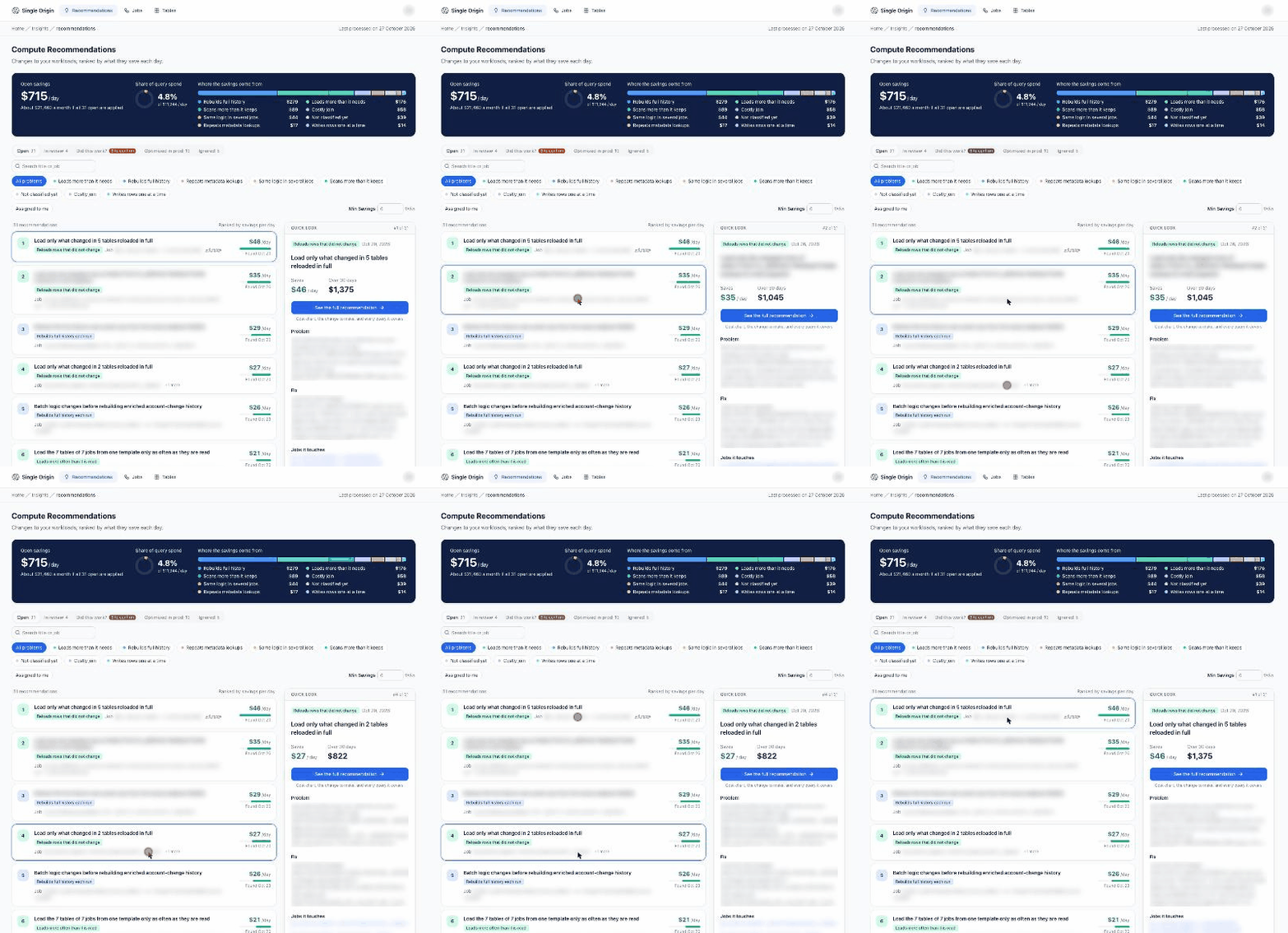
Example workspace. Names are blurred and figures are illustrative.
The page has five tabs:
| Tab | What's in it |
|---|---|
| Open | New recommendations nobody has picked up. |
| In review | Recommendations someone is looking at. |
| Did this work? | Recommendations that shipped, or may have, and need a person to confirm what shipped and what it saved. The tab shows how many are waiting. See Did this work?. |
| Optimized in prod | Recommendations with a confirmed saving. |
| Ignored | Recommendations someone set aside. Ones generated more than 3 months ago are hidden. |
On Open and In review:
- Read the summary at the top: Open savings, Savings in review or Savings set aside for the tab.
- Narrow the list with Search title or job, a problem filter (All problems or one kind), Assigned to me, and Min Savings.
- The list is ranked by savings per day. Click a row to open the Quick look panel beside it.
- Click See the full recommendation for the detail page.
Read a recommendation
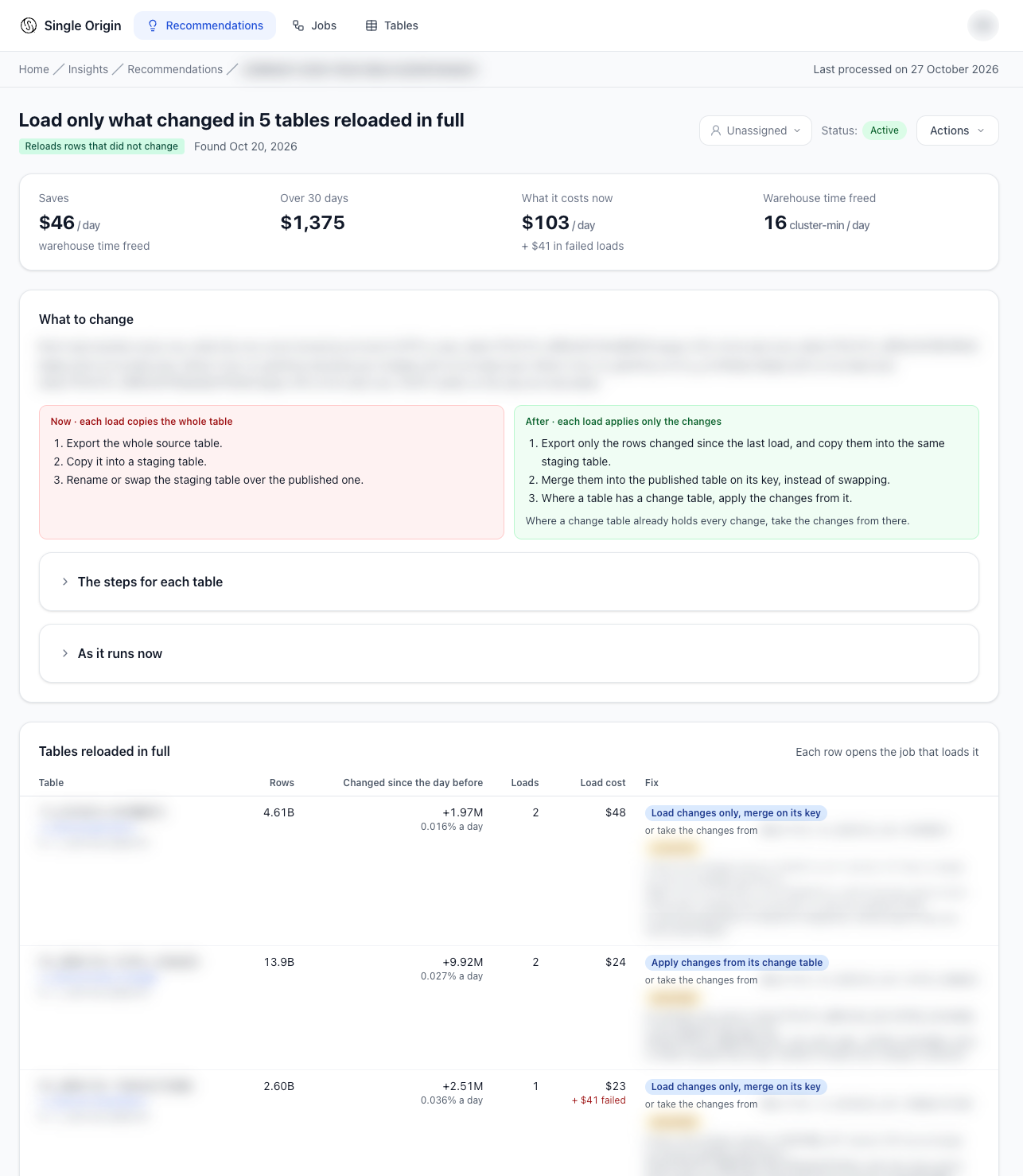
Example workspace. Names are blurred and figures are illustrative.
The detail page shows:
- a cost chart for the jobs it changes;
- Problem and Fix, each with SQL where there is any;
- How the savings are estimated;
- Jobs it touches (with links to each job) or Table it changes;
- Background: why the workload was examined;
- the queries it covers.
When someone changed the status with a reason, the page shows who set it and why.
Act on a recommendation
Use Actions on the Quick look panel or the detail page. The choices depend on the current status:
| From | You can move it to |
|---|---|
| Active (Open) | In Review, Applied, Applied (Variant), Partially Applied, or Ignore |
| In Review | Applied, Applied (Variant), Partially Applied, back to Active, or Ignore |
| Applied, Applied (Variant), Partially Applied | back to In Review, or Ignore |
| Ignored | Unignore (Active), In Review, or an applied status |
- Applied (Variant) means you made a different change that serves the same end.
- Partially Applied means you made part of the change.
- When you mark a recommendation applied, the dialog asks Shipped on (required) and Saving a day (optional). With a saving, it moves straight to Optimized in prod; a saving of 0 moves it to Ignored. Without one, it waits in Did this work? until a number is confirmed.
- When you ignore one, add a reason. Single Origin carries your reason into the next analysis of the same workload, so it doesn't propose the same thing again.
Assign a recommendation
The assignee menu next to Status names who will make the change. Pick a person, or Unassigned. Moving a recommendation to In review assigns you when nobody is assigned yet. Use Assigned to me on the list to see your own.
When a job has no recommendation
A job's page shows a Why no recommendation card when nothing is open for it. It says what the analysis checked and why it proposed nothing, for example Costs too little to save the minimum per day, Not reached: each day analyses the costliest jobs first, or Already covered by another recommendation. Recommendations a person closed earlier are listed under Closed earlier. See Jobs.
From your AI assistant
Over MCP, your agent can list recommendations, read one, set its status with a reason, and read its measured saving. See Work with recommendations.
Related
Updated about 5 hours ago